

Gallery and Folders
More options
 Discuss with Marie
Deletion and Restoration from Trash
Deleted photos and folders remain in the trash for 30 days, from where you can restore them.
A deleted item does not disappear immediately. It is moved to the trash and can be restored within 30 days.
Deletion
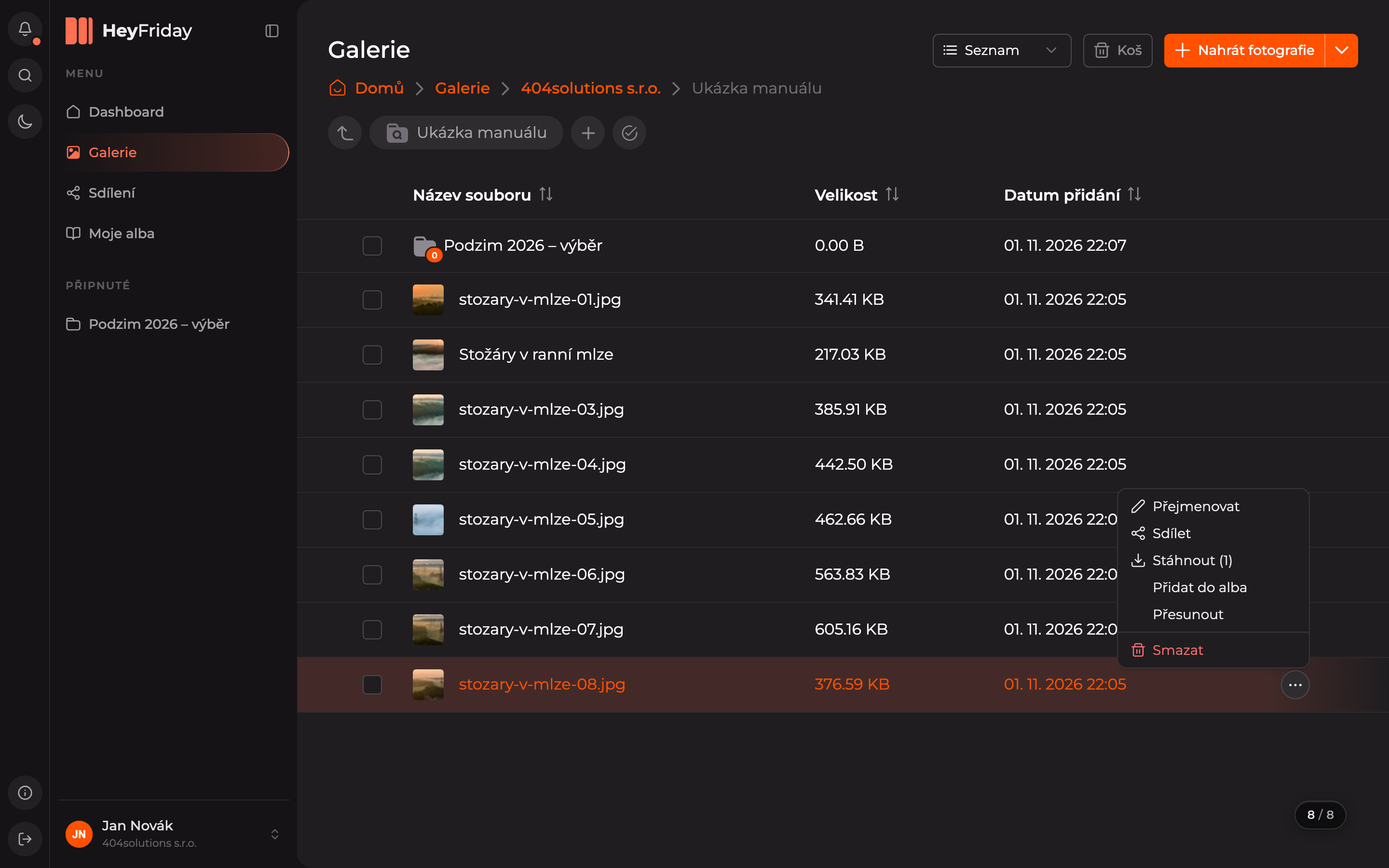
Select Delete
Hover over the row of the photo or folder, click the three dots, and choose the red Delete option. You can delete multiple items at once via selecting multiple items.
Confirm deletion
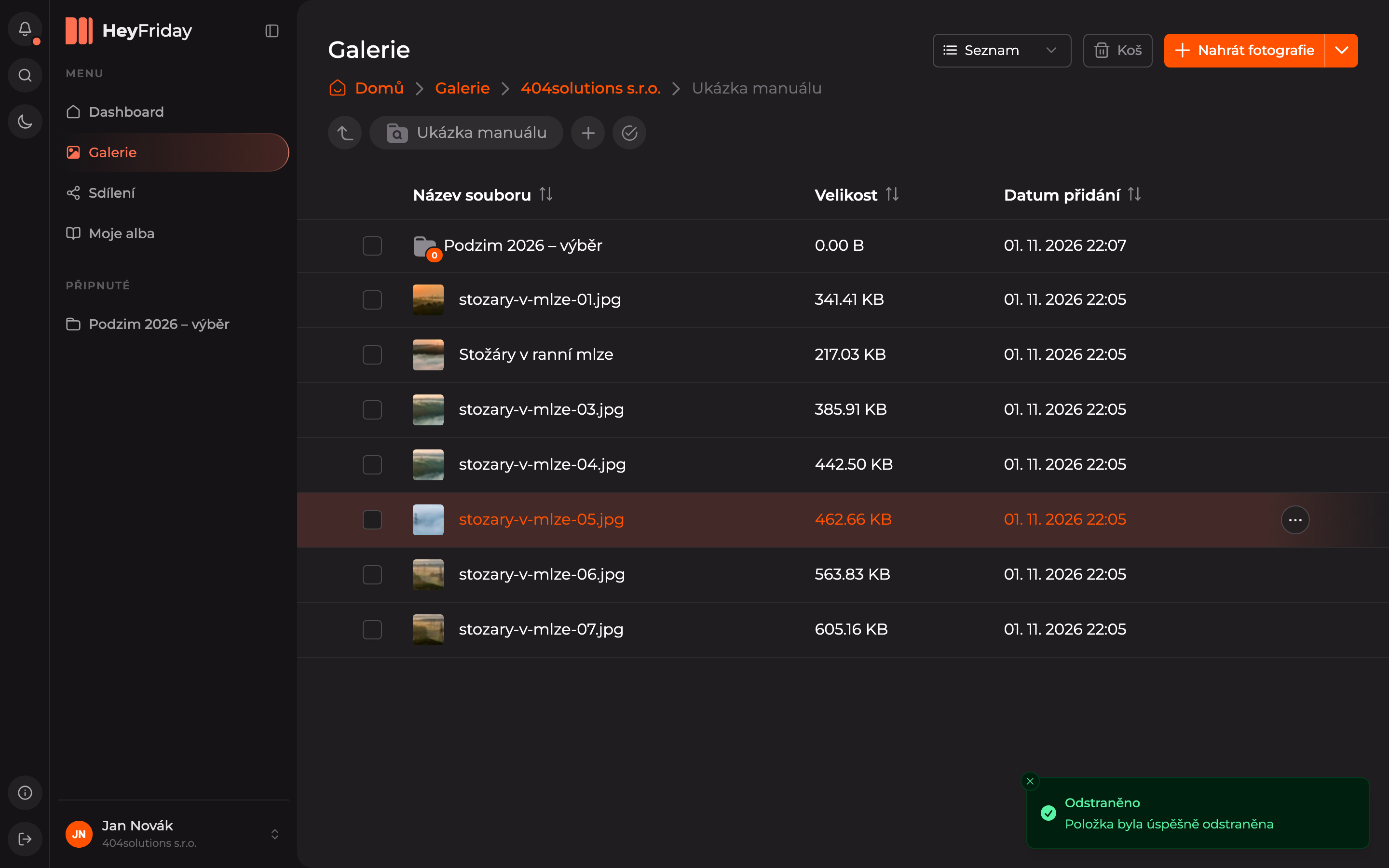
The confirmation dialog reminds you that items will remain in the trash for 30 days. Click Delete.

Restoration from Trash
Open the Trash
In the top right corner of the gallery, click Trash.
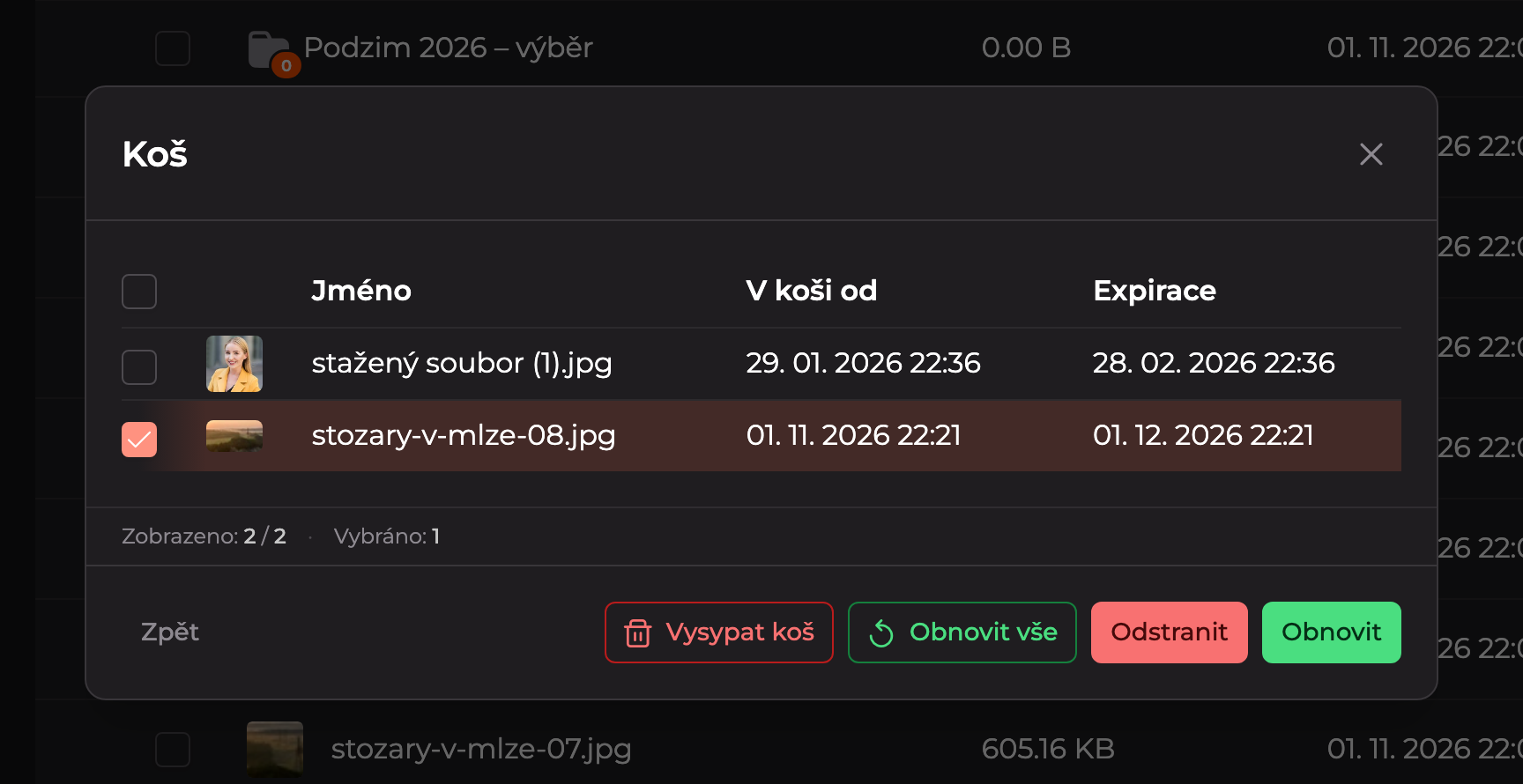
Restore items
In the Trash dialog, you see deleted items with the deletion date (In Trash Since) and the date when they will be permanently deleted (Expiration). Check the items you want to restore and click Restore. The Restore All button restores the entire trash contents.
Restored items return to their original location.
Updated