

Gallery and Folders
More options
 Discuss with Marie
Selecting Multiple Items
Select several photos or folders and perform an action on them all at once.
Want to download, move, share, or delete multiple photos at once? Select them and use the Actions menu.
Check the items
In the List view, check the box at the beginning of the row for each item you want to select.
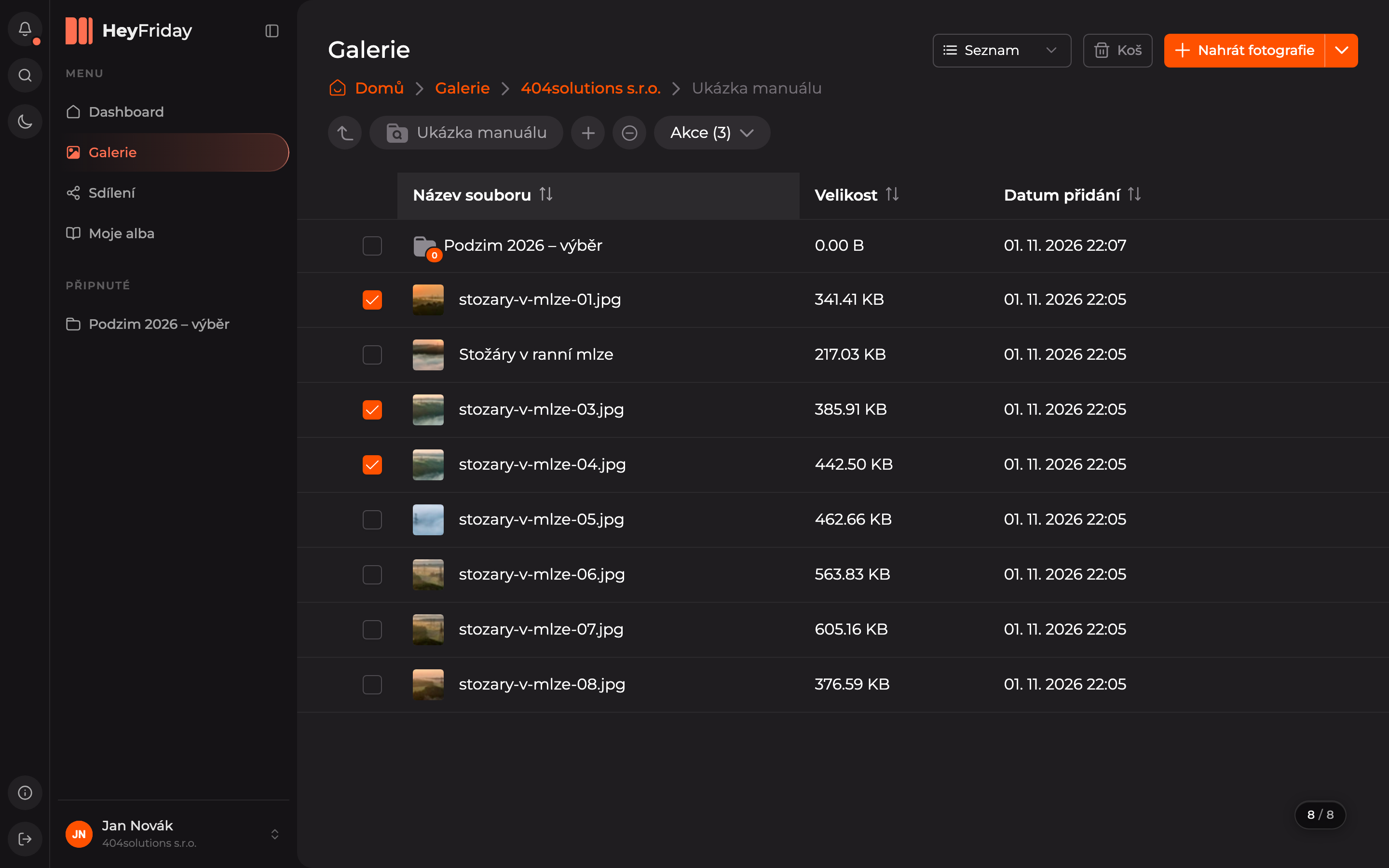
Open the Actions menu
Next to the folder name, an Actions button will appear with the number of selected items. Click it.
Choose an action
Select what you want to do with the items: Share, Download, Add to album, Move, or Delete. Use Deselect to clear the selection.
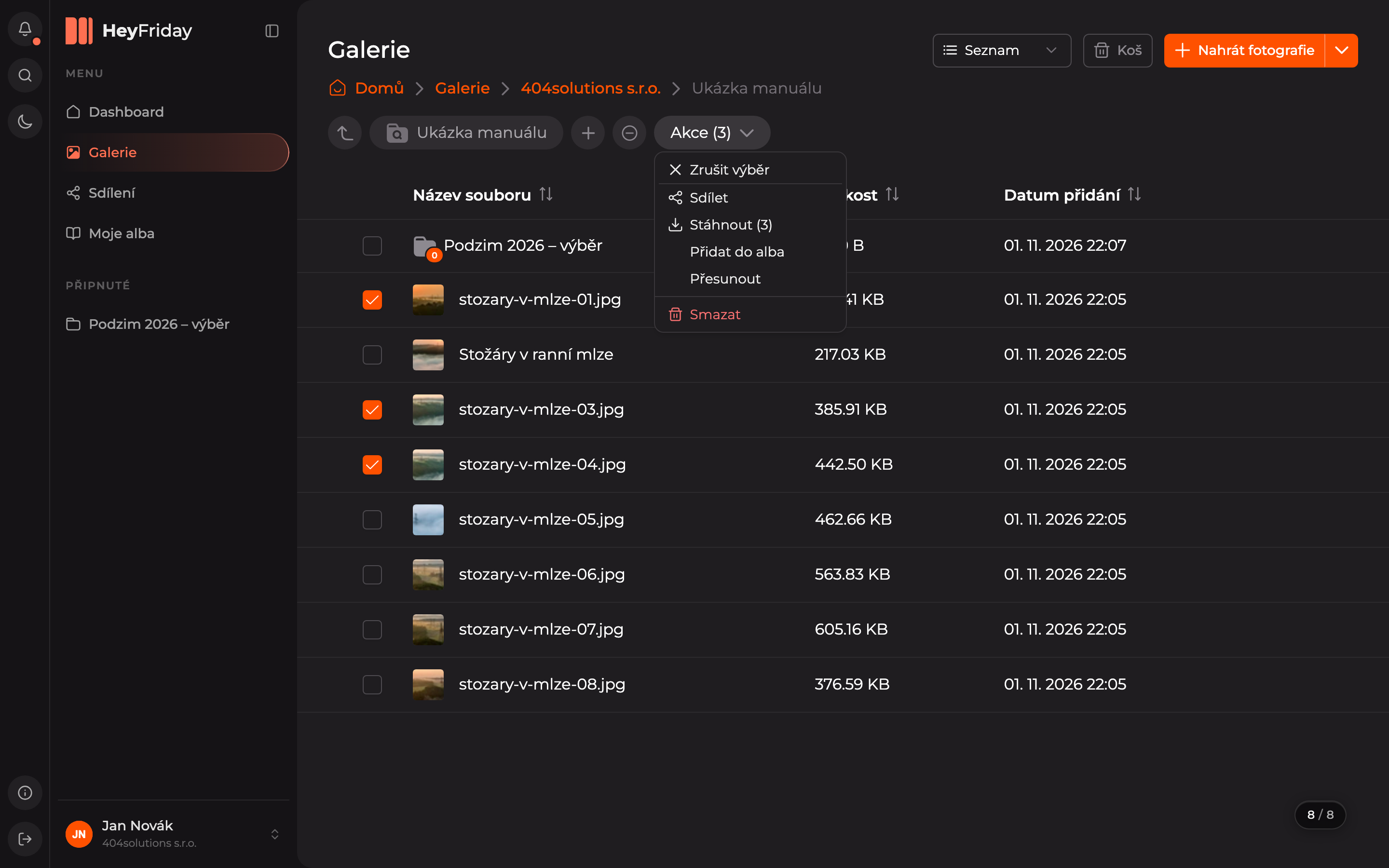
Actions in detail: Move, Add to album, Sharing, Download, Delete.
Updated