

Sharing
More options
 Discuss with Marie
Sharing Overview
See what your colleagues have shared with you and what you have shared, and cancel sharing you no longer need.
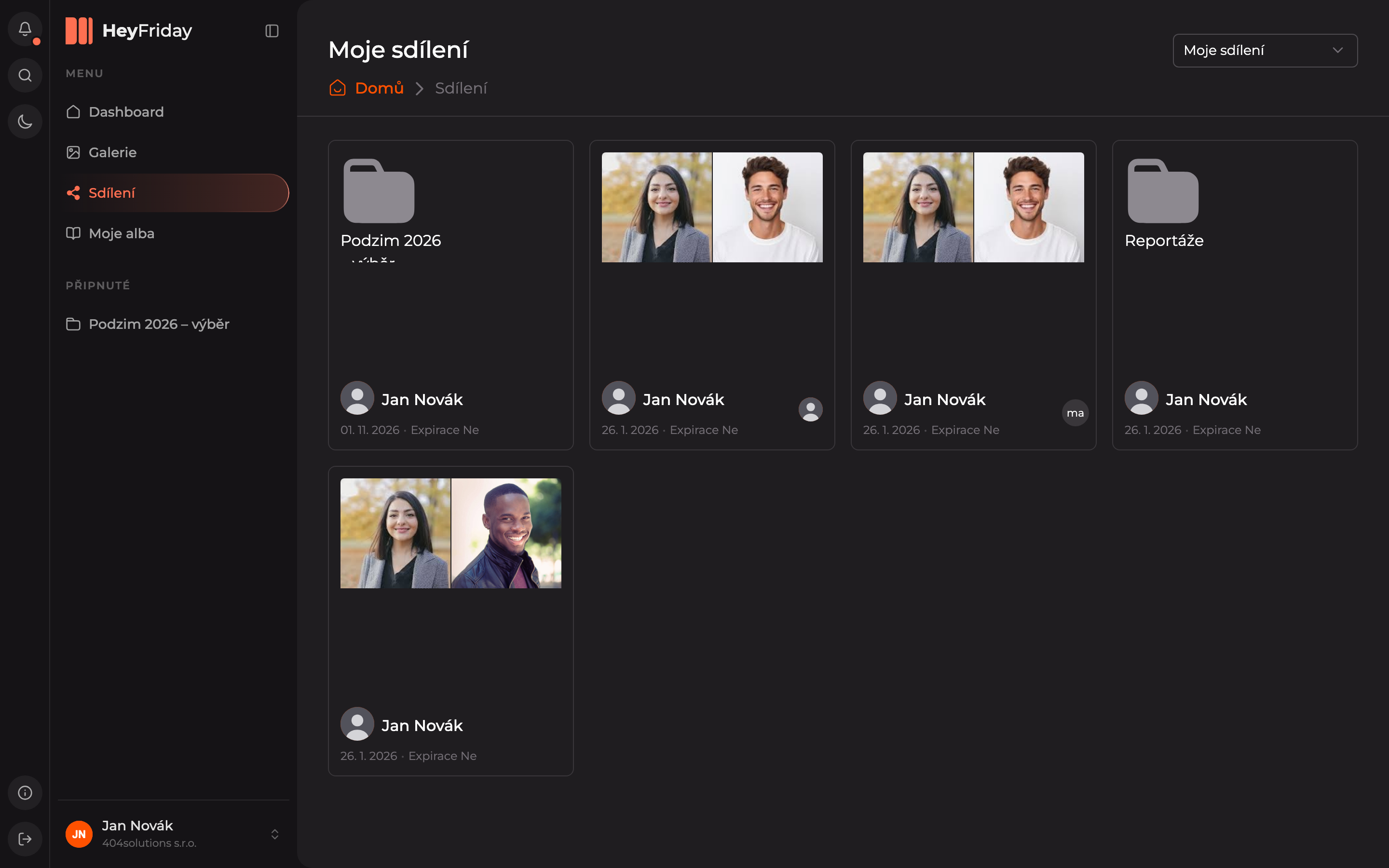
In the main menu, click Sharing. Use the selector at the top right to switch between two overviews:
- Shared with me — what colleagues have shared with you.
- My shares — what you have shared.
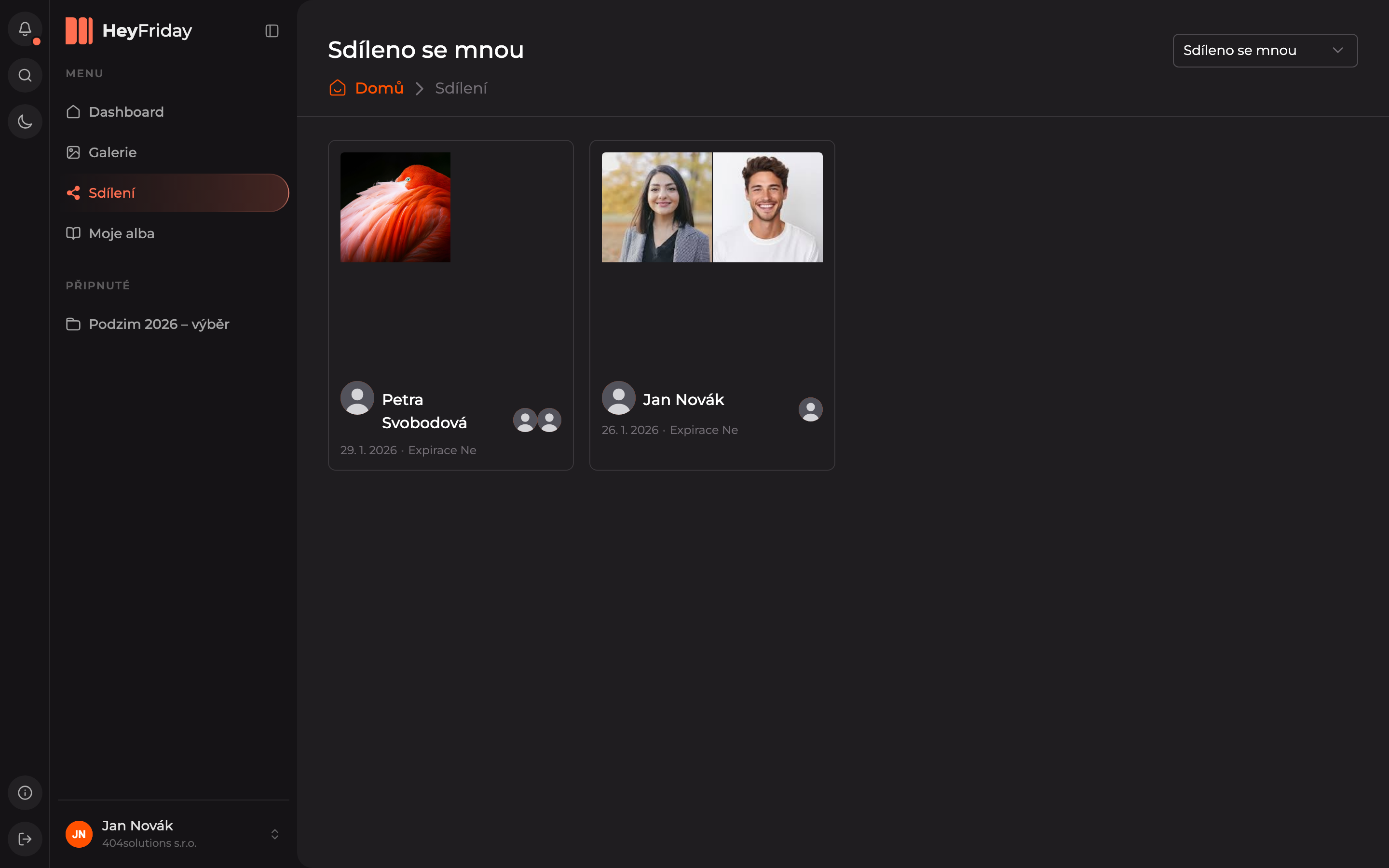
Each share is a card with a preview, the name of the sharer, the date, and expiration info (Expiration No means unlimited validity). Click the share card to open it.
Copying the link and canceling sharing
Hover over the share card. At the top right, a button with three dots appears, opening an action menu:
- Copy link — copies the link again so you can send it.
- Delete — cancels the sharing. The link will then stop working.
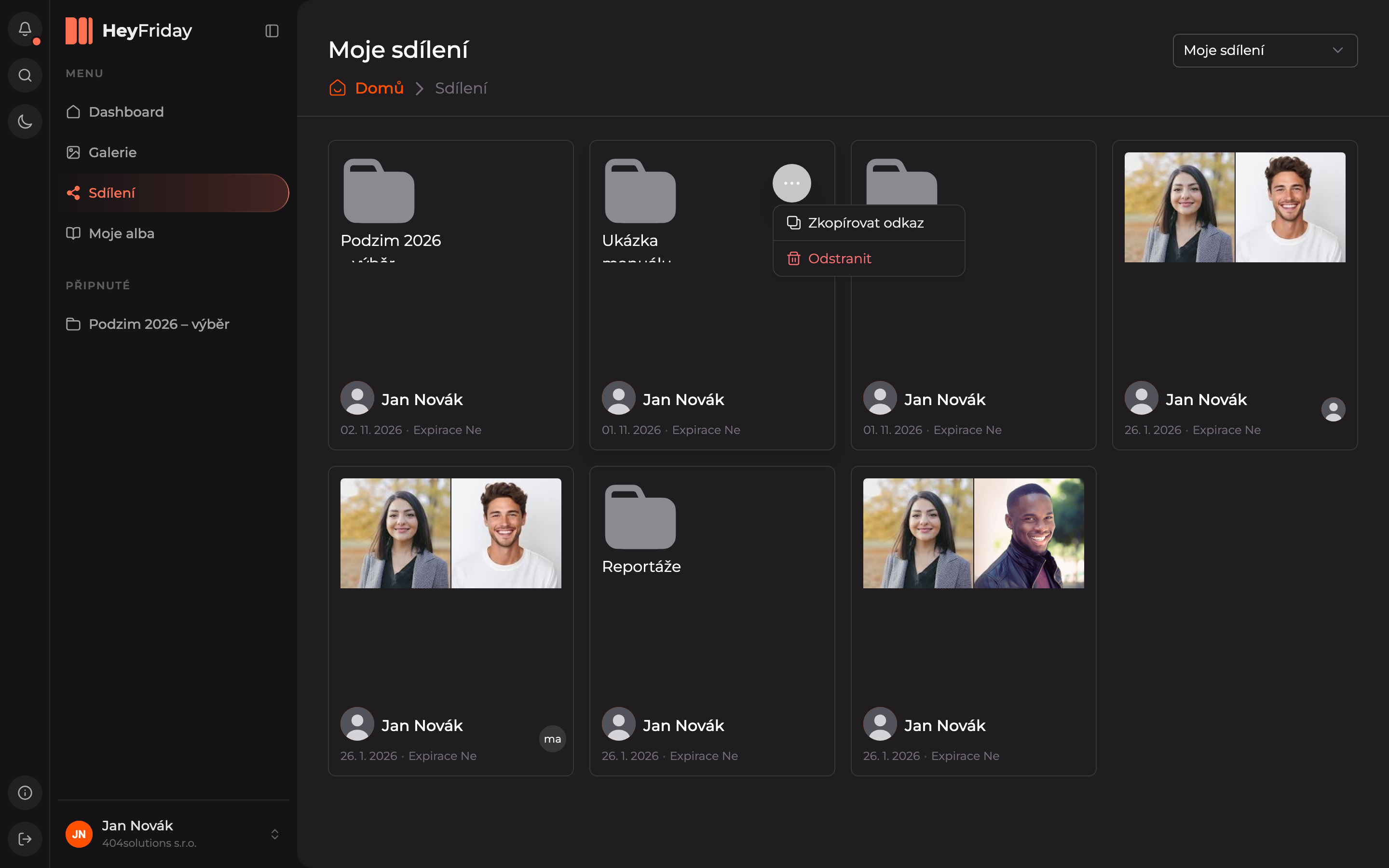
You can find the same menu after opening the share, at the top right next to the view toggle.
Updated