

Sharing
More options
 Discuss with Marie
Sharing a folder or photo
Create a link to a folder, album, or photo and set who can open it and for how long.
You can share a folder, a single photo, multiple selected items at once, or an entire album.
Select Share
In the gallery hover over the row of the folder or photo, click the three dots, and choose Share.
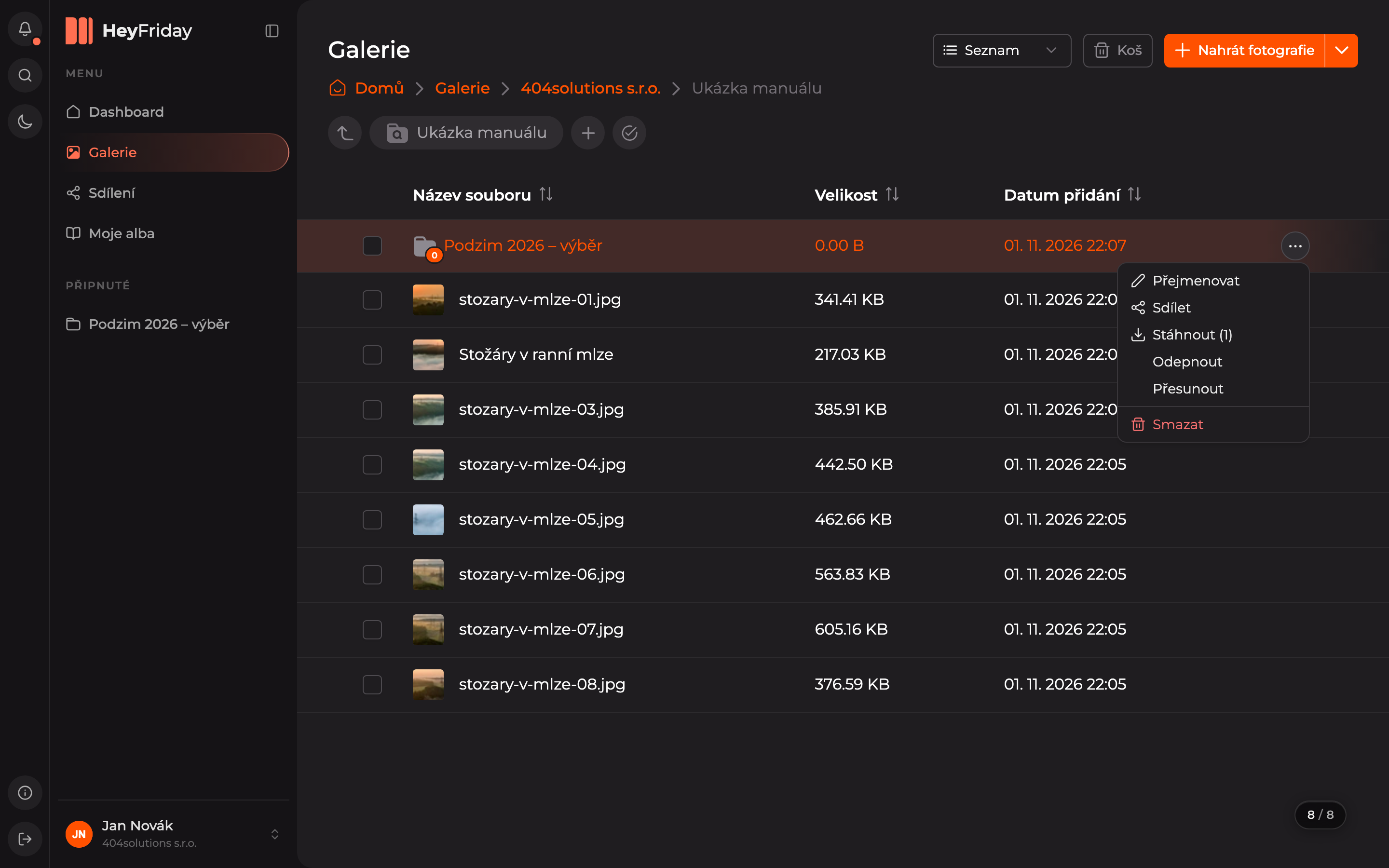
You can also find Share in the Actions menu for multiple selected items, in the photo detail and in an open album (Share album).
Set who and for how long
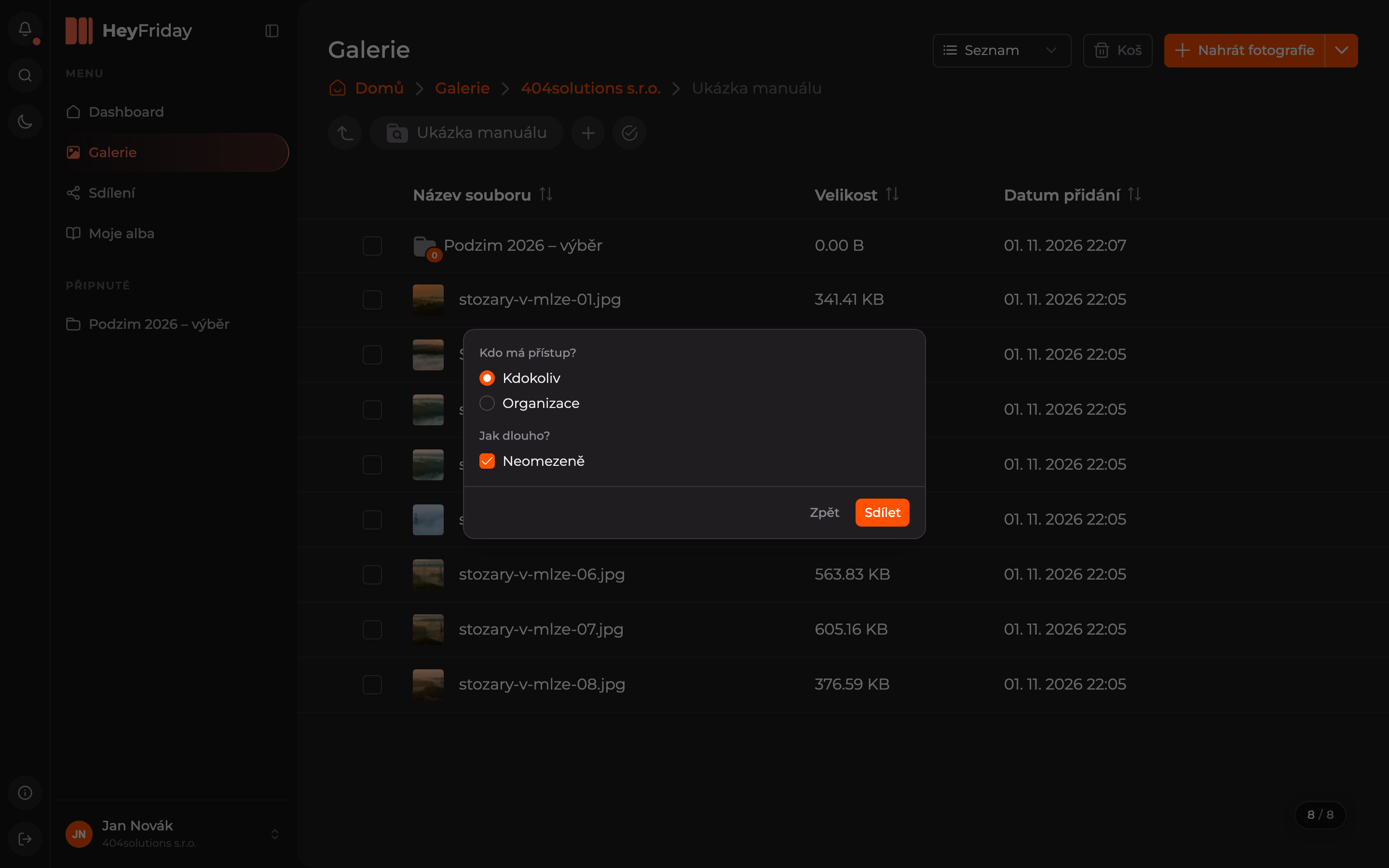
In the dialog, set:
- Who has access? — Anyone (anyone with the link, even without logging in), or Organization (only selected users in your organization).
- How long? — leave Unlimited checked, or uncheck it and select Expiration date.
- Click Share.
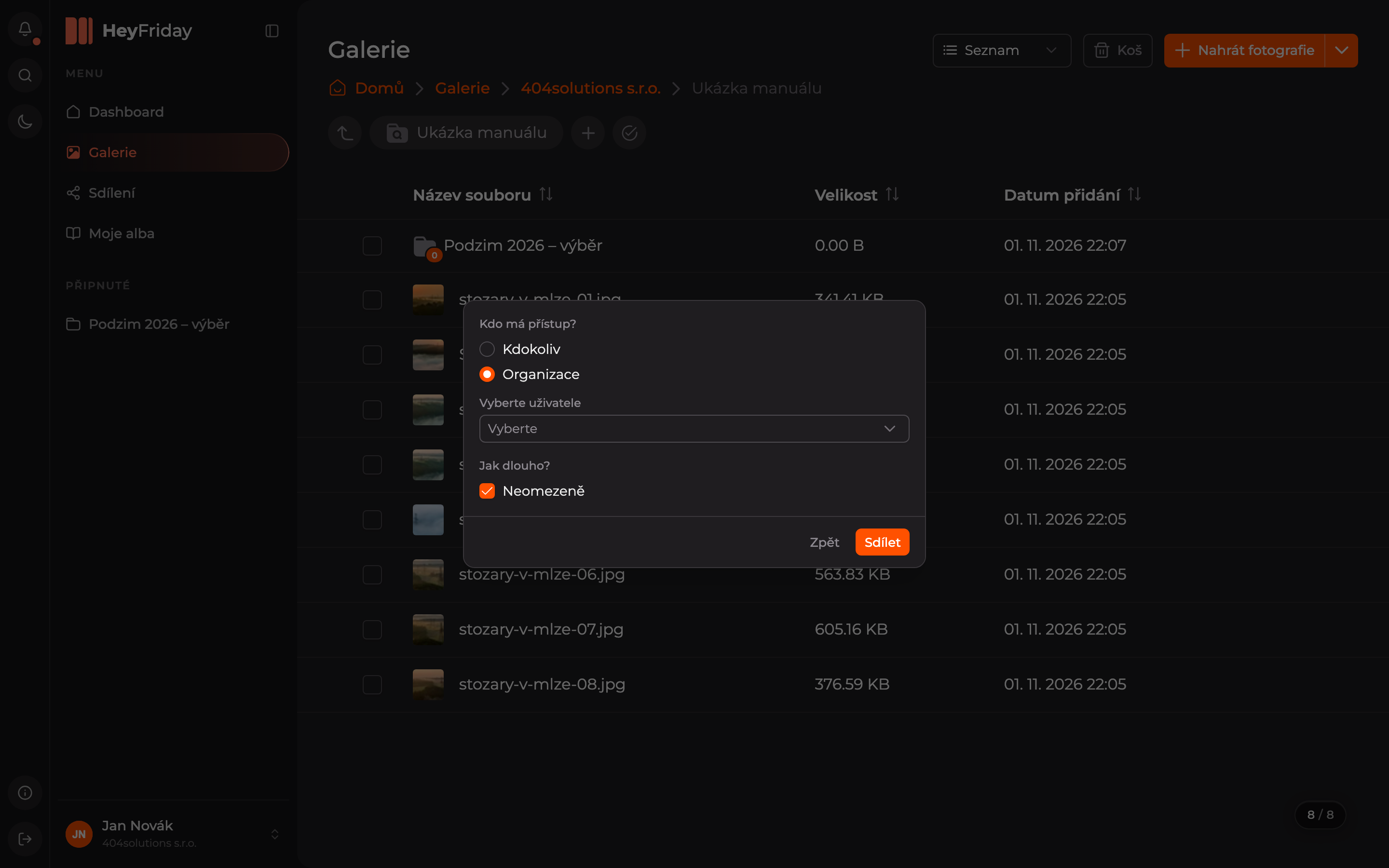
Select colleagues (only for Organization option)
If you chose Organization, select colleagues who should have access in the Select users field. You can also select the entire organization.
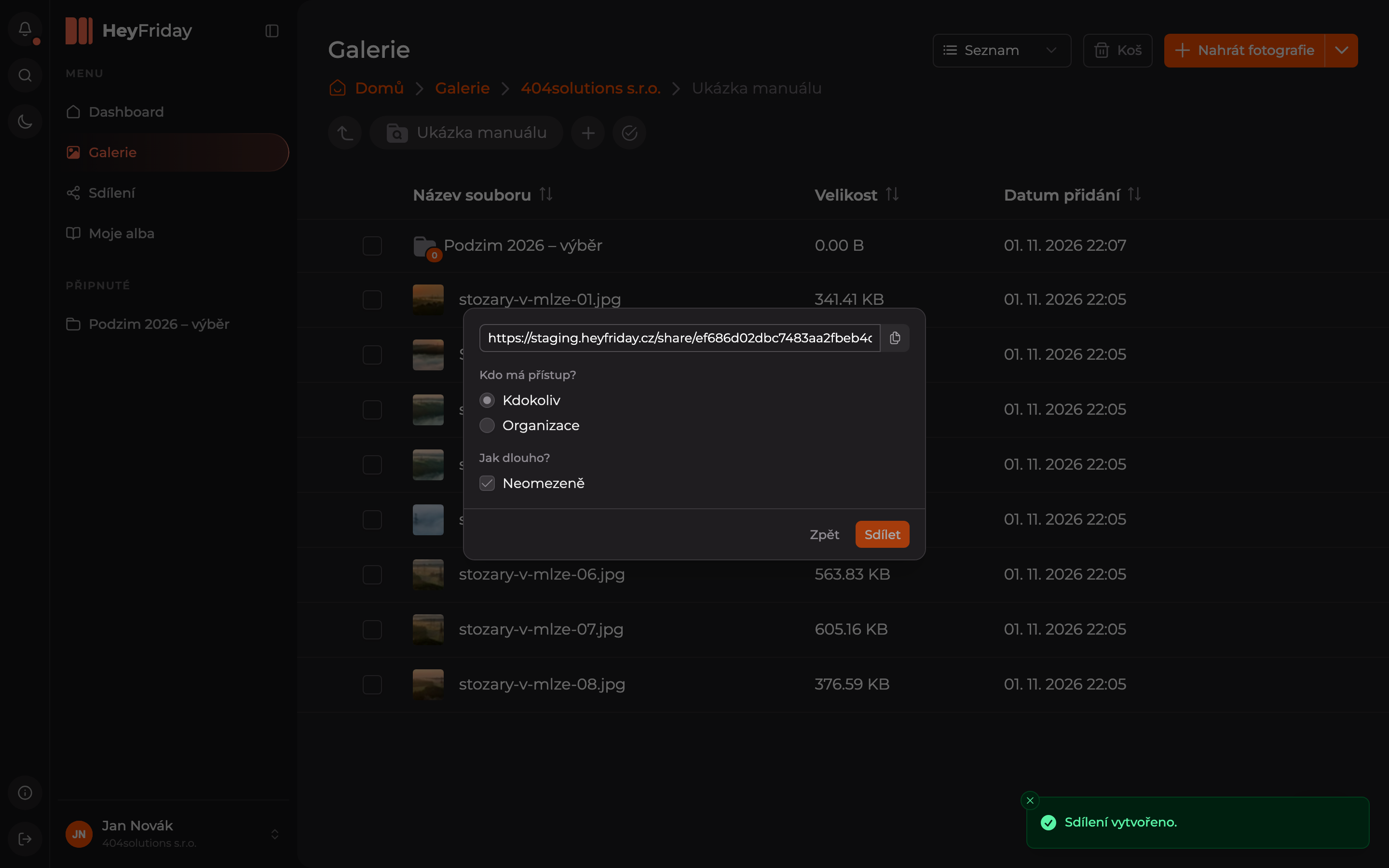
Copy the link
At the top of the dialog, a link will appear. Copy it using the icon at the end of the field and send it to recipients.
You can find all your shares in the sharing overview. How sharing looks for recipients is shown in What the recipient sees.
Updated